
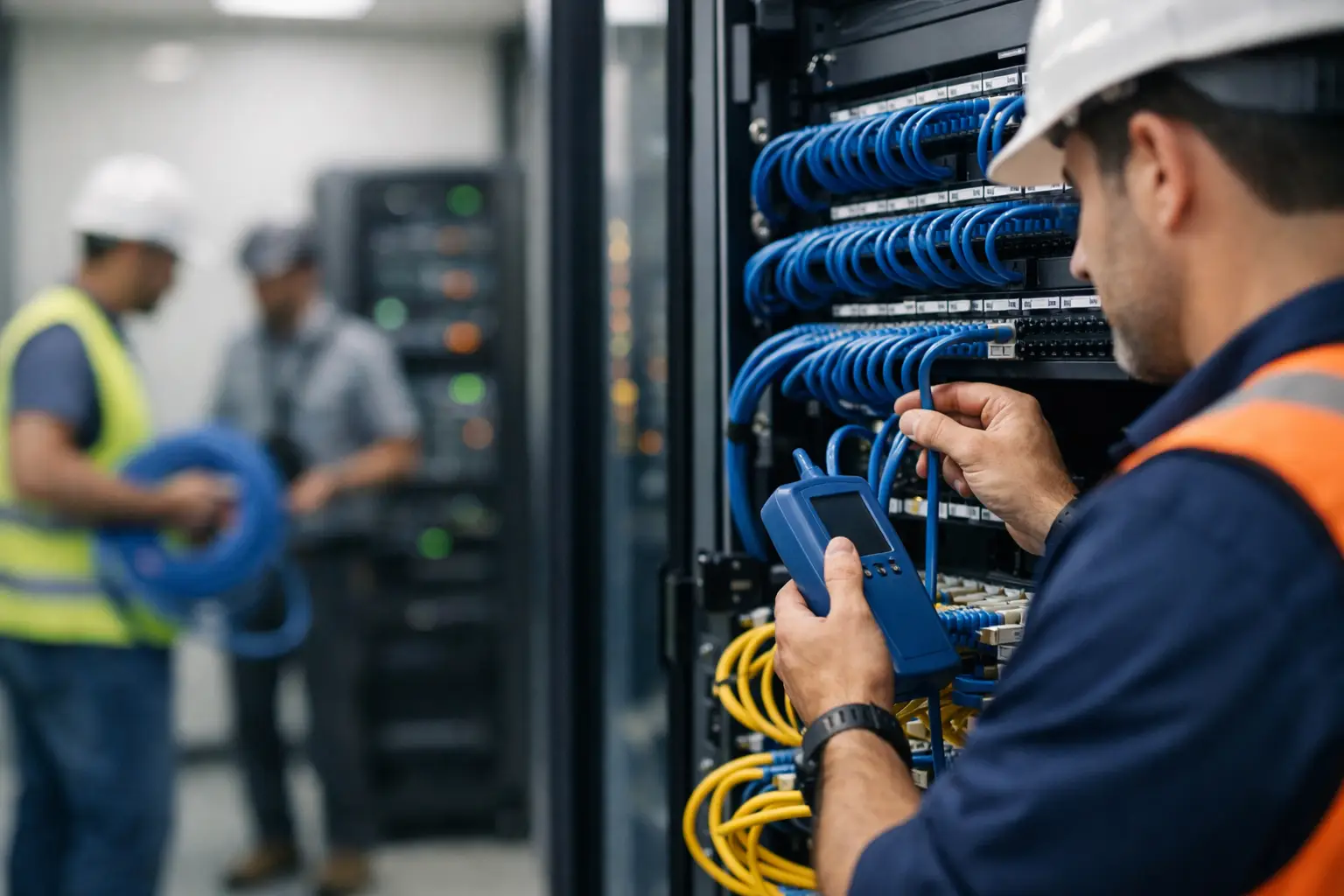
A POS terminal that drops out during the lunch rush is rarely just a POS problem. The cause can sit behind a wall, above a ceiling, or in a cramped comms cabinet: an unreliable cable run, a poorly terminated outlet, or network equipment connected without a clear plan. Professional ACMA data cabling services give the technology in your business the physical foundation it needs to perform consistently.
For retailers, cafés, restaurants and other transaction-heavy businesses across Southeast Queensland, cabling is not a background detail. It supports EFTPOS, POS terminals, receipt printers, back-office computers, Wi-Fi access points, security cameras, phones and connected scales. When it is installed properly, staff can get on with serving customers. When it is not, small faults can become costly interruptions.
What ACMA-compliant cabling means for your business
Data cabling is regulated work in Australia. Fixed telecommunications cabling – such as the cable that runs between your network cabinet and a wall outlet, or between buildings on a site – must be carried out by a suitably registered cabler under ACMA requirements. This helps protect people, equipment and the wider telecommunications network.
For a business owner, the practical benefit is accountability. A qualified cabler understands the relevant installation rules, selects cable suited to the job, keeps separation from electrical services where required, terminates connections correctly and tests the completed run. You should also receive a completed-cabling record, often referred to as a TCA1 form, for applicable work.
ACMA compliance is not simply paperwork. It is part of doing work that can be serviced, expanded and relied on later. If an issue arises, clear labelling, proper testing and installation records make fault-finding much faster than tracing a collection of unidentified cables.
Why cabling quality affects everyday operations
Modern business equipment relies on the network more than many operators realise. A single counter may have a POS terminal, EFTPOS integration, a docket printer, a customer display and a scanner all communicating through the same network. In a café or restaurant, handheld ordering devices and kitchen printers may add further demand. A weak connection at any point can slow the entire workflow.
Poor cabling does not always fail completely. It may show up as intermittent printer faults, a terminal that occasionally disconnects, slow file access, patchy Wi-Fi or cameras that lose connection after heavy rain or hot weather. These symptoms are frustrating because they can resemble a software, internet or hardware issue. Testing the cabling and network path is often the quickest way to rule out the physical layer.
The right cable category also matters. Cat6 is a common choice for many business networks and provides strong capacity for current equipment. In some locations, Cat6A or fibre may be the better option, particularly for larger sites, higher bandwidth demands, long cable runs or connections between buildings. The best choice depends on the building, equipment, anticipated growth and budget – not on installing the most expensive option by default.
ACMA data cabling services should start with the site
A useful cabling job begins before anyone pulls cable. The installer should understand how your business operates, where transactions happen, which devices need a wired connection and where future equipment may be added.
A small retail shop may need structured cabling from a compact communications cabinet to the counter, office, storeroom and Wi-Fi access point. A restaurant may need separate points for the bar, host station, kitchen printers, office and ceiling-mounted wireless access points. A warehouse or larger food service site may require cable routes that account for cool rooms, loading areas, distance limits, dust or moisture, and equipment that moves regularly.
This planning stage prevents common compromises. Running one cable to a counter may look cheaper initially, but it can leave no capacity for a second terminal, printer or future display. Likewise, placing network equipment in an inaccessible or unventilated cupboard can make service work unnecessarily difficult. A sensible design considers today’s needs while allowing room to grow without reopening walls or disrupting trade.
The communications cabinet is the control point
The communications cabinet, rack or wall-mounted enclosure is where cable runs, switches, routers and other network hardware come together. It should be tidy, labelled and accessible. A cabinet full of unlabelled patch leads may continue to work, but it becomes a risk when a staff member needs to identify a fault quickly or when a new device is added.
Good installation includes sensible cable management, labelled outlets and patching, suitable mounting for equipment, and enough room to work safely. It also considers heat, power availability and protection from accidental damage. These details make a difference during an urgent call-out, when every minute of downtime matters.
A practical installation process
Reliable work follows a clear sequence. First, the site is assessed and the cable routes, outlet locations and equipment requirements are confirmed. Next, cables are installed using appropriate pathways and protection, with care taken around electrical services and building conditions. The cables are then terminated at both ends, labelled and tested.
Testing is essential. A cable that appears connected is not necessarily capable of supporting the required network speed or power delivery. Proper testing identifies faults such as split pairs, poor terminations, excessive length or damaged cable before they become a problem during service.
The final stage is commissioning. This is where the installed cabling is connected with the network equipment and business hardware it is meant to support. For a transaction environment, that can include confirming that POS terminals communicate correctly, printers receive jobs, wireless access points are positioned effectively and back-office devices remain connected. Cabling and equipment installation work best when they are treated as one coordinated job.
When to upgrade existing cabling
There is no fixed replacement date for data cabling. A well-installed system can provide years of service. An upgrade becomes worthwhile when your business is expanding, moving premises, adding connected devices, upgrading POS systems, installing cameras or experiencing recurring network faults.
Older cabling can also limit the performance of new hardware. For example, newer wireless access points and cameras may need Power over Ethernet, which supplies power through the network cable. The cabling, switch and installation design all need to support that requirement safely and reliably. Simply fitting a new device to an old outlet may not deliver the result you expect.
Renovations are another smart time to review infrastructure. Once ceilings, walls and counters are closed, adding cable paths becomes more difficult and expensive. Planning a few extra data points during a fit-out is often more cost-effective than arranging separate works later.
Avoiding the cheapest-first approach
It is understandable to compare installation quotes, particularly for a new fit-out. However, the lowest price can leave out important parts of the job: testing, labelling, compliant documentation, suitable cable grade, quality outlets, cabinet organisation or coordination with your POS and network equipment.
The better comparison is scope against scope. Ask what cable category is proposed, how many outlets are included, whether testing and labels are included, who supplies the network equipment, and what support is available if a fault appears after installation. A clear quote makes it easier to understand what your business is receiving and avoids unwelcome variations later.
For businesses that rely on daily transactions, cabling should be installed as infrastructure, not treated as a temporary workaround. Loose leads across a floor, consumer-grade extensions and improvised connections may solve an immediate issue, but they are rarely a suitable long-term answer in a busy commercial environment.
One team for cabling, POS and ongoing support
The strongest outcome comes from aligning the cabling installation with the systems that run over it. When the people installing your network points understand POS hardware, printers, scales and workflow requirements, they can identify practical issues before opening day rather than after the first busy service.
At EBE, that approach means looking beyond the cable itself. The aim is to help create a dependable setup that supports your staff at the counter, in the kitchen, in the office and wherever customers are being served. It also means having local technical support available when an existing system needs attention.
If you are planning a fit-out, upgrading transaction equipment or dealing with unexplained connection issues, start by mapping what must stay connected when your business is at its busiest. That simple exercise usually makes the right cabling decisions much clearer.















Leave A Comment
You must be logged in to post a comment.