
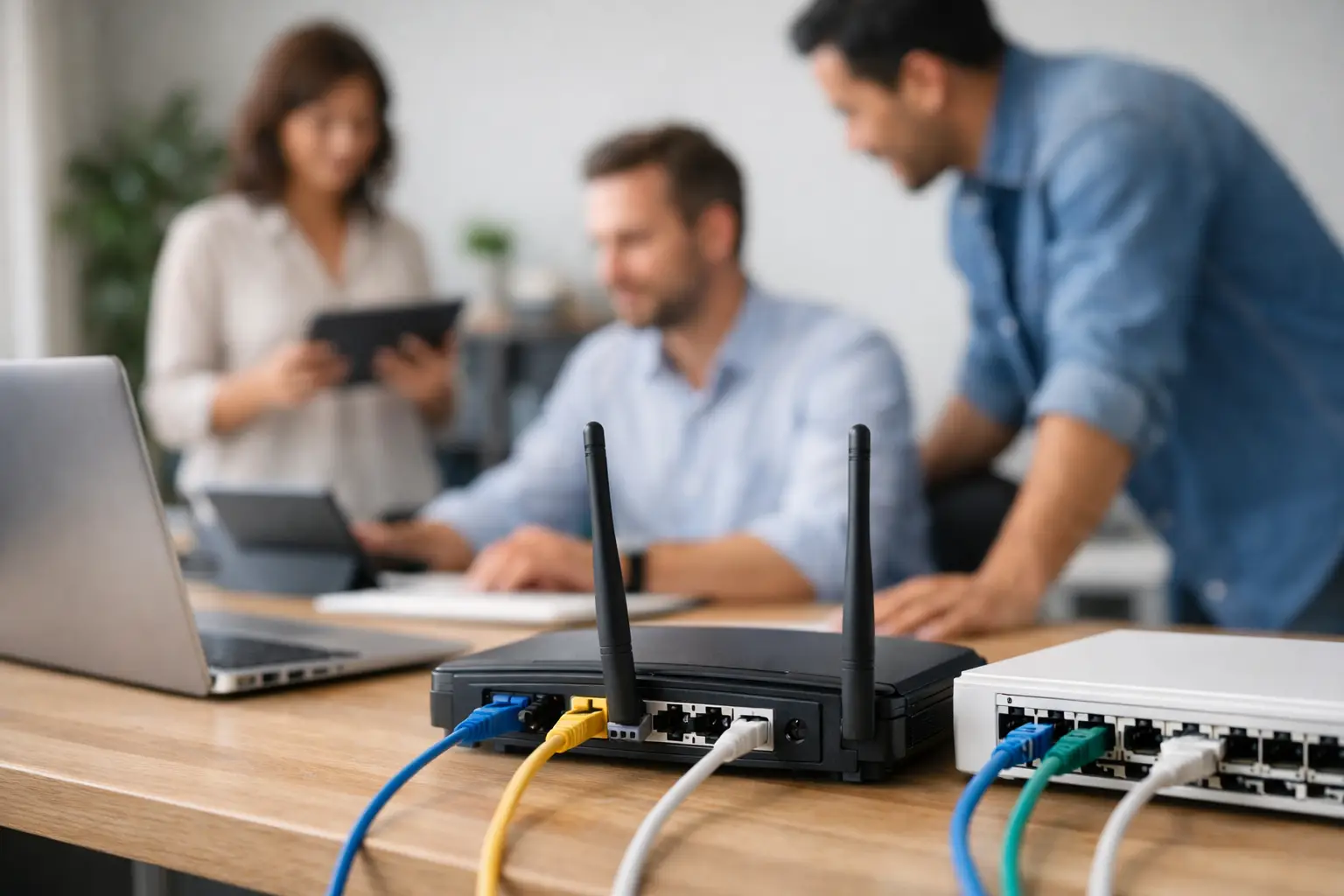
A café’s EFTPOS terminal drops out during the breakfast rush. A retail counter cannot print receipts. The office Wi-Fi works, but the POS system does not. These are rarely isolated equipment problems. They are often signs that the network was added over time without a clear plan. This small business network setup guide explains how to build a practical, dependable connection between the systems your business relies on every day.
For retailers, hospitality venues and food businesses, the network is not just an internet connection. It carries transactions, printer jobs, cloud backups, staff devices, security cameras and often trade equipment. Getting the basics right reduces interruptions, protects customer information and makes future changes far easier.
Start with the way your business actually works
The right network starts with your workflow, not a box of hardware. A small takeaway shop with one counter has different requirements from a restaurant with handheld ordering, kitchen printers, a back office and guest Wi-Fi. The goal is to identify what must stay connected for the business to keep trading.
Walk through a normal busy period and list the equipment that uses the network. This may include POS terminals, receipt and kitchen printers, EFTPOS devices, computers, tablets, scales, cameras, music systems and staff mobiles. Also note where each device sits, whether it needs a cable or Wi-Fi, and what happens if it loses connection.
This exercise highlights priorities. A customer Wi-Fi outage may be inconvenient. A POS or EFTPOS outage can stop sales immediately. Those critical systems should be designed first, with the network supporting them rather than competing with guest traffic and personal devices.
Choose an internet service with a realistic backup plan
Your internet connection needs to suit the number of users and the services running through it. Speed matters, but stability, response time and local coverage matter as well. A venue processing cloud-based transactions needs consistent service more than an impressive maximum speed that varies throughout the day.
Before committing to a service, check what is available at the premises and test mobile coverage from more than one carrier. A fixed connection may be suitable for daily operations, while a 4G or 5G failover service can provide a backup if the primary connection fails. For a transaction-heavy business, that backup can be the difference between continuing to trade and turning customers away.
A backup connection does not have to carry every service. It should be configured to keep priority systems operating, such as the POS, EFTPOS and essential communications. Discuss data limits and expected costs before relying on a mobile service during an outage.
Build the network around critical devices
A sensible small business network setup separates business-critical equipment from less important traffic. This is commonly done by creating separate network segments, often called VLANs. It sounds technical, but the practical outcome is straightforward: POS and printers can operate on their own protected network, while customer Wi-Fi and staff mobiles use another.
Segmentation improves both reliability and security. If a guest downloads a large file or connects an unsafe device, it is less likely to affect the payment and point-of-sale environment. It also makes fault finding faster because technicians can see which part of the network is affected.
A typical arrangement might include a business network for POS, computers and printers; a separate guest Wi-Fi network; and, where needed, a dedicated network for cameras or smart devices. The exact design depends on the equipment and budget, but guest access should never be treated as an extension of the main business network.
Use cables where failure is not an option
Wi-Fi is useful for tablets, handheld ordering and mobile devices. It is not always the best choice for fixed equipment. POS terminals, back-office computers, fixed printers and network switches are usually more dependable when connected by Ethernet cable.
Wired connections are less affected by walls, refrigeration units, metal shelving, neighbouring networks and a crowded dining room. They also make it easier to identify whether a problem sits with the device, cable or network. In a busy venue, a cable run installed properly is often a better investment than trying to solve every issue with another wireless access point.
Position Wi-Fi for customers and staff, not just the router
A single router in a back office rarely provides reliable coverage across a shop floor, kitchen, outdoor seating area and storage rooms. Wi-Fi access points should be positioned based on where people use devices, with consideration for walls, equipment and interference.
For larger or awkwardly shaped premises, multiple access points may be needed. They should work together as one managed network so staff can move through the venue without repeatedly reconnecting. Avoid placing access points inside metal cabinets, beside microwaves or behind dense stock, where the signal can be reduced.
Select business-grade hardware and protect the power supply
Consumer networking equipment can be adequate for a home with a few devices. It can struggle in a venue with dozens of connections, payment traffic and long operating hours. Business-grade routers, switches and access points offer better management, clearer visibility and more reliable support options.
The router controls traffic between your business and the internet. A managed switch connects wired equipment and can separate network segments. Wireless access points provide the Wi-Fi coverage. These components should be selected as a system, rather than chosen individually because they are on special.
Power is another overlooked part of the setup. A small uninterruptible power supply can keep a router, switch and selected POS equipment running through a brief power interruption. It will not replace a generator during a long outage, but it can prevent unnecessary restarts and give staff time to finish a transaction safely.
Secure the network before it becomes a problem
Small businesses are regularly targeted because their systems may be less closely managed than larger organisations. Basic security is not optional when the network handles payment terminals, customer data and business records.
Use strong, unique passwords for network equipment and change default login details before installation is complete. Turn on automatic firmware updates where appropriate, or schedule regular checks. Limit administrator access to the people who genuinely need it, and remove former staff or suppliers promptly.
Guest Wi-Fi should have its own password and network. Staff should not share business administration passwords through group messages or write them beside the counter. If remote access is required for support, it should be set up deliberately and reviewed, not left open permanently for convenience.
Keep a simple record of the network name, equipment location, serial numbers, internet account details and key contacts. Store passwords securely, not in a drawer or on a paper note attached to the modem. When something fails at 6 pm on a Friday, accurate records save valuable time.
Plan installation, testing and staff handover
A network should be installed and tested before the busiest trading period, not while customers are waiting. Allow time to label cables, test printer routes, confirm POS and EFTPOS communications, check Wi-Fi coverage and simulate an internet outage if a backup service is in place.
Staff do not need to become network technicians, but they should know the first checks to make. That includes identifying whether the issue affects one device or the whole venue, checking obvious power connections and knowing who to call. A clear escalation process prevents well-meaning staff from rebooting every device and making diagnosis harder.
After installation, keep the network tidy. Label ports and power supplies, secure cables away from walkways and spills, and leave enough access for servicing. In food service areas especially, equipment placement needs to account for heat, grease, moisture and cleaning routines.
Make support part of the setup
Networks change as businesses grow. You may add a second checkout, introduce online ordering, install a new scale, expand outdoor seating or move to cloud-based reporting. A setup that works today should be documented well enough to adapt without starting again.
This is where a local technical partner can be particularly useful. EBE can design and install connected POS, printers, scales and networking with the operational realities of Southeast Queensland businesses in mind, then remain available when equipment needs attention. One team that understands the full system can reduce the time spent coordinating separate suppliers during a fault.
Set a regular review point, particularly before peak seasons or a planned expansion. Check whether Wi-Fi coverage still suits the floor plan, whether software and firmware are current, and whether critical equipment has a tested backup path. The best network is not the most complicated one. It is the one your team can depend on when the queue is building and there is no time for technology to get in the way.














Leave A Comment
You must be logged in to post a comment.