

A queue building at the counter is not the time to work out who has the POS password, where the spare receipt roll is kept, or whether the EFTPOS terminal has dropped off the network. A practical POS support checklist gives your team clear actions before a small fault becomes lost sales, frustrated customers and a stressful service period.
For cafes, retailers, takeaway shops and market operators across Southeast Queensland, the best checklist is not a generic IT document. It reflects the equipment you use, the way you trade and the people who open and close the business. It should also make clear what staff can safely resolve and when it is time to call for technical support.
Start with the systems that stop you trading
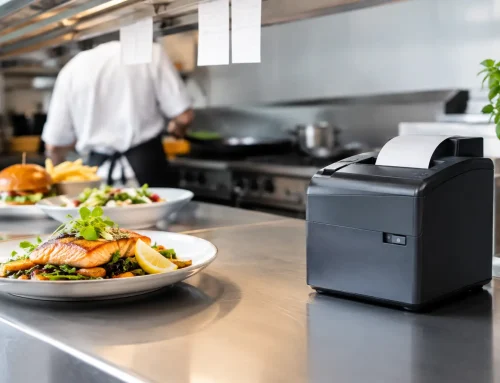
Not every technical issue has the same impact. A back-office monitor can wait. A frozen POS terminal during a Saturday lunch rush cannot. Begin by identifying the equipment and connections that are essential to processing a sale: POS terminals, cash drawers, receipt and kitchen printers, barcode scanners, EFTPOS terminals, internet equipment, scales where applicable, and the power supply supporting them.
Keep a simple record of each item’s make, model, serial number, location and connection type. Include your POS software provider, merchant terminal provider, internet provider and local support contact. This saves valuable time when you need help, particularly if the person making the call was not involved in the original installation.
It also pays to distinguish between equipment that is connected and equipment that is integrated. For example, an EFTPOS terminal may still accept payments even if it is not communicating correctly with the POS system. Your staff need to know the approved process for recording those sales so takings and reporting can be reconciled later.
Make a clear fault triage guide
Staff should not be expected to diagnose every fault. They do need a short, sensible process that prevents unnecessary call-outs and avoids damaging equipment through repeated resets or improvised fixes.
Your first-response process should cover four checks:
- Confirm whether the problem affects one device or the whole site.
- Check power, visible cables, paper levels and error messages without pulling apart equipment.
- Test one simple transaction or print function where it is safe to do so.
- Record what happened, when it started and what changed before the issue appeared.
A useful note is more than “the till is not working”. Record whether the screen is on, whether the software opens, whether the internet is available, the wording of any error message, and whether other terminals are affected. A photo of an error screen can help a technician identify the issue faster.
Avoid making repeated changes while troubleshooting. Restarting a single device may be appropriate if that is part of your approved process. Rebooting every device, router and printer at once can make it harder to identify the original fault and may interrupt functions that were still operating.
POS support checklist for every trading day
A short opening check is one of the most effective ways to protect a busy shift. It takes only a few minutes and catches common issues before customers arrive.
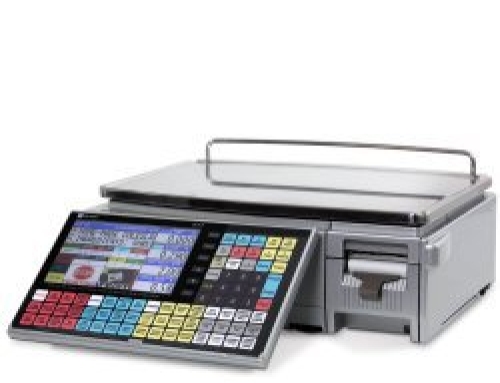
At opening, confirm that each terminal starts normally and is connected to the network. Test the receipt printer, check paper and label stock, and make sure cash drawers open only through the approved POS function. If you use a kitchen printer, customer display, barcode scanner or integrated scale, test these as part of the same routine. A scale used to sell goods by weight should display correctly, be clean and level, and remain within its current verification requirements.
Check that your EFTPOS terminal is charged or powered, connected as required and able to process a test transaction where your procedures allow. If your business has multiple terminals, label them clearly so staff can identify which unit is affected when an issue occurs.
During trade, staff should watch for early warning signs: receipts fading or jamming, printer covers not closing properly, intermittent scanner reads, terminals losing connection, slow POS performance or cash drawers sticking. These are service issues worth reporting before they become an outage. A printer that only works after several attempts is not reliably working.
At close, confirm that POS reports, cash, EFTPOS totals and any manual payment records can be reconciled. Back up data according to your POS provider’s process, or confirm that scheduled cloud backup has completed if this is part of your system. Check that devices are clean, powered down or charging as required, and protected from spills, heat and unauthorised access overnight.
Prepare for the failures that cannot wait
Even well-maintained equipment can fail. Storms, internet outages, power interruptions, software issues and worn components do not wait for a quiet day. Your checklist should include a documented continuity plan that allows the business to keep serving customers safely while support is arranged.
The right fallback method depends on your setup. Some venues can use a mobile EFTPOS option or a temporary connection. Others may need to record transactions manually for a short period, then enter them into the POS system once service is restored. This needs to be agreed in advance, with clear rules for order numbers, cash handling, stock movements, GST records and customer receipts.
Do not assume a mobile hotspot will always be the answer. It can be useful, but coverage, data limits, merchant terminal compatibility and security all matter. A temporary workaround that creates a reconciliation problem at the end of the day may cost more time than it saves.
Keep critical consumables on hand. Receipt rolls, label rolls, printer ribbons where relevant, cleaning materials and spare scanner or printer cables are inexpensive compared with a disrupted service period. The amount you keep depends on delivery lead times and trading volume, but high-turnover venues should not rely on their last roll of paper.
For businesses operating portable equipment at markets, functions or pop-up locations, add transport checks. Confirm leads are packed, batteries are charged, equipment is protected in transit and the site has suitable power and network access. A good setup checklist should be completed before leaving the premises, not on arrival when customers are waiting.
Protect access, data and staff confidence
POS support is not only about hardware. Shared passwords, former staff accounts and unrestricted manager functions can create serious operational and security issues. Assign individual logins where your system allows, set access levels based on each role, and remove access promptly when staff leave.
Managers should know how to approve refunds, voids, discounts and price changes without sharing administrator credentials across the team. Review exception reports regularly. This helps identify training needs as well as potential errors or misuse.
Staff training should focus on the tasks people actually perform under pressure. New team members need to know how to process a sale, reprint a receipt, change paper, identify a basic connectivity issue and escalate a fault. They should also understand which actions require manager approval. A laminated quick-reference sheet near the POS can be far more useful than a lengthy manual stored in a drawer.
Schedule refresher training after software updates, staff changes or recurring mistakes. If a process regularly causes confusion, changing the screen layout, printer setup or workflow may be a better solution than repeatedly telling people to be more careful.
Plan maintenance before breakdowns decide the timing
A support checklist should include weekly and monthly tasks, not just emergency actions. Clean scanner windows, printer rollers and scale surfaces using suitable products. Inspect cables for strain, loose plugs or damage, especially around counters where equipment is moved often. Check that ventilation around terminals, printers and network equipment is not blocked by paperwork or stock.
Review software updates carefully. Updates can improve security and fix known faults, but it is sensible to schedule them outside peak trading periods and confirm compatibility with connected printers, scales and peripherals. If your business relies on trade-approved weighing equipment, arrange calibration, servicing and verification through appropriately qualified providers rather than treating it as a standard IT task.
Keep a service history for each device. Note repairs, replacement parts, recurring errors and configuration changes. This helps reveal whether a repair remains cost-effective or whether an ageing device is creating repeated downtime. The cheapest repair is not always the best business decision if the same printer fails during every peak period.
A local technical partner can help turn this from a paper exercise into a working support plan. EBE works with businesses that need POS, printing, networking and trade-measurement equipment supported as connected operational systems, rather than as isolated devices.
The goal is simple: your team should know what normal looks like, what they can check safely and who to contact when trading is at risk. Review your checklist after every meaningful incident. Each real fault is an opportunity to make the next response faster, calmer and more reliable.














Leave A Comment
You must be logged in to post a comment.