

Saturday brunch is not the time to discover a payment terminal has dropped off the network. A queue builds quickly, staff are left explaining the problem table by table, and customers who do not carry cash may simply walk away. This hospitality EFTPOS reliability guide is for venue owners and managers who want fewer payment interruptions and a practical plan for when one does occur.
EFTPOS reliability is not only about the terminal on the counter. It depends on the quality of your internet connection, Wi-Fi coverage, power supply, POS integration, payment provider settings and the way staff respond under pressure. Get each part right and taking payment becomes the quiet, dependable part of service it should be.
What EFTPOS reliability means in a busy venue
A reliable EFTPOS setup processes payments consistently through peak service, reconnects quickly after a brief disruption and gives staff a clear fallback when the connection is unavailable. For a café, that may mean a terminal that stays connected while staff move between the counter and outdoor tables. For a restaurant, it may mean every portable terminal remains charged and paired correctly over a full dinner sitting.
The objective is not to promise that no external outage will ever happen. Mobile networks, internet carriers and payment platforms can all experience faults outside a venue’s control. The objective is to remove preventable failures, identify problems early and avoid turning a short interruption into a lost service period.
There is also a difference between a terminal that can take payment and a payment workflow that suits your operation. A standalone terminal can be a useful backup, but it may require staff to enter an amount manually and reconcile it later. An integrated EFTPOS terminal sends the transaction value directly from the POS, which reduces keying errors and speeds up checkout. The right choice depends on transaction volume, table service, your POS software and how much reconciliation work your team can reasonably manage.
Start with the connection, not the terminal
When a terminal repeatedly loses connection, the terminal is often blamed first. In many venues, the underlying issue is a weak or poorly managed network. EFTPOS traffic may be small, but it needs a stable path to the payment provider. Busy guest Wi-Fi, ageing routers, poor access point placement and unsuitable cabling can all affect that path.
A wired connection is generally the most dependable option for a fixed counter terminal. It avoids the interference and coverage gaps that can affect Wi-Fi. Where portable terminals are needed for table service, Wi-Fi needs to be planned for the entire service area, including patios, function rooms, cool rooms nearby and areas where staff wait to process a payment.
Do not assume the Wi-Fi signal shown on a mobile is enough. A network may appear strong in an empty venue but struggle when music systems, tablets, printers, staff devices and dozens of customer mobiles are connected. A proper site assessment looks at signal strength, congestion, router capacity and the physical obstacles that weaken coverage, such as concrete walls, metal shelving and refrigeration equipment.
Keep guest traffic separate
Guest Wi-Fi should not compete directly with your POS and EFTPOS equipment. Separating business devices from customer access helps protect payment-related systems and keeps trading traffic more predictable. It also makes fault-finding easier. If a terminal fails, your technician can check the business network without sorting through a crowded guest network at the same time.
If your venue depends heavily on card payments, consider an internet failover option. This may use a secondary service or 4G/5G backup when the primary connection fails. It adds an ongoing cost, so it is not necessary for every small operator. For venues that lose significant sales in a one-hour outage, however, the cost can be easier to justify than the risk.
Power, charging and physical care matter
Power faults are another common cause of avoidable downtime. A loose power lead, overloaded power board or failing charger can look like a terminal fault when it is really a simple hardware issue. Fixed terminals, modem equipment, routers, switches and POS hardware should be supplied from suitable, protected power outlets and checked as part of routine maintenance.
Portable units need an equally disciplined charging routine. Assign each terminal a labelled cradle or cable, and make charging part of the closing checklist. A terminal that starts dinner service at 35 per cent battery is a predictable problem, particularly if it is being used for tap payments, receipts and table-side ordering all night.
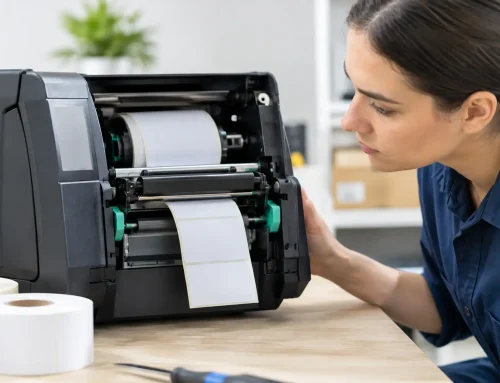
Keep terminals clean and dry, especially around the charging contacts, printer compartment and keypad. Hospitality equipment works around steam, grease, spills and flour dust. Small amounts of residue can affect charging and paper feed performance over time. Staff should know not to force paper covers, use damaged leads or leave terminals where they can be knocked from the counter.
Set up POS integration carefully
Integrated POS and EFTPOS systems reduce manual entry, but they introduce a relationship between two systems that must be configured and tested properly. A payment may be approved at the terminal yet not return correctly to the POS if a network setting, integration service or software version is out of step. That can create confusion at the counter and make end-of-day balancing more difficult.
Before a new system goes live, test normal card payments, contactless payments, refunds, split bills, surcharge rules, receipt printing and recovery after a restart. If you use ordering tablets or multiple registers, test from every relevant device. A quiet weekday morning is a far better time to find a configuration issue than Friday night.
Software updates should be managed rather than ignored. Updates can resolve security or connection issues, but installing them during a peak period is not sensible. Schedule updates outside trading hours where possible, confirm backups are current and make sure someone knows how to contact support if the POS or EFTPOS integration does not reconnect as expected.
Build a simple payment outage procedure
The best response to an EFTPOS interruption is calm, consistent and agreed before it happens. Write a short procedure that staff can follow without waiting for the owner to answer the phone. Keep it near the POS or in your operating manual, not buried in an email thread.
Your procedure should cover four practical actions:
- Check whether the issue affects one terminal or all payment devices, and confirm power, network and battery status.
- Tell the shift supervisor straight away, then contact the relevant payment provider or technical support contact with clear details of the fault.
- Use approved backup options only, such as another connected terminal or a provider-approved mobile connection.
- Record transactions and terminal responses accurately if manual reconciliation is required later.
Avoid improvised workarounds that could create a security, compliance or reconciliation problem. For example, connecting equipment to an unknown hotspot or repeatedly resubmitting a payment can make a difficult situation worse. Staff should never guess whether a transaction has been completed. Check the terminal result, the POS status and the receipt or transaction history before asking a customer to try again.
Clear customer communication also protects goodwill. A straightforward message such as, “Our card system is temporarily reconnecting. We are checking the payment status now,” is better than vague assurances. If card payments cannot be taken, tell customers before they order where practical. Most people are reasonable when they receive an honest explanation early.
Maintain the equipment before it fails
EFTPOS equipment deserves the same attention as your coffee machine, printers and refrigeration controls. Schedule basic checks before known busy periods, public holidays, events and seasonal surges. Confirm terminals are charged, receipt paper is available, cables are secure, routers are operating normally and every device can process a test transaction where appropriate.
Watch for recurring warning signs: terminals that take longer to connect, Wi-Fi that drops in one area, charge cradles that need to be positioned just right, receipts that fade or POS messages that appear intermittently. These are useful clues, not minor annoyances to tolerate until the unit stops working.
A local technical partner can be particularly valuable where payment terminals sit within a broader POS and network environment. EBE can assist hospitality operators with system design, installation, network troubleshooting, repairs and ongoing support, helping identify whether a fault sits with the terminal, POS, cabling, Wi-Fi or connected hardware.
Train for the real conditions of service
A reliable setup still relies on people using it correctly. New staff should be shown how to wake and charge terminals, check paper, identify connection messages, process refunds according to venue policy and escalate a fault. They should also understand the difference between a declined payment and a connection failure. Treating those as the same issue wastes time and can lead to an awkward customer interaction.
Brief training during quieter shifts is usually enough, provided it is repeated when systems or procedures change. Give supervisors a little more detail, including where device serial numbers are recorded, who to call first and how to complete reconciliation after a temporary workaround.
The most useful reliability plan is the one your team can follow at 7 pm on a fully booked night. Keep the network sound, the equipment maintained, the backup process approved and the support contacts current. That preparation gives staff the confidence to keep service moving while the technical issue is being resolved.












Leave A Comment
You must be logged in to post a comment.