

A queue building at the counter is more than an inconvenience. For a cafe during the morning rush, a busy retailer on Saturday or a market operator with limited trading hours, a frozen POS screen or failed receipt printer can quickly mean lost sales and frustrated customers. Knowing how to reduce checkout downtime starts with treating every part of the transaction process as business-critical – not just the POS terminal.
Why checkout downtime has more than one cause
When a checkout stops working, it is tempting to blame the POS software. Sometimes that is the cause, but many outages begin elsewhere. An unstable internet connection can prevent payment authorisations. A worn printer can hold up receipts and kitchen dockets. A flat scanner battery, jammed cash drawer, faulty cable or an incorrectly configured device can stop staff from completing a sale.
For businesses that sell by weight, a scale issue can be even more significant. If equipment is not reading accurately, communicating with the POS or meeting trade measurement requirements, staff may need to stop selling particular items until the fault is resolved. The operational impact is immediate, particularly in food retail, butchers, delis and market environments.
The practical lesson is simple: checkout availability relies on connected equipment, power, network access, payment processing and confident staff. Reducing downtime means planning for the whole chain.
How to reduce checkout downtime before it happens
The best time to deal with a checkout failure is before the queue appears. Start by reviewing a normal transaction from beginning to end. Consider what happens when a customer presents an item, it is scanned or weighed, the payment is approved, a receipt or docket is printed, and the sale is recorded. Identify the equipment and connections involved at each stage.
Match the system to the way you trade
A POS system should fit your actual workflow, not force staff to create workarounds. A takeaway venue may need quick product buttons, kitchen printing and clear modifiers. A retailer may rely on barcode scanning, stock control and returns. A butcher or grocer may need an integrated trade-approved scale that passes product and price data directly into the sale.
Poorly matched equipment often creates small delays that become major problems in peak periods. For example, a single under-specified terminal may be manageable on a quiet weekday but struggle when multiple staff need access, updates run or a large product database is searched. The lowest upfront price is not always the lowest operational cost.
When selecting or upgrading a system, allow for your busiest trading period, not your average one. Ask how additional tills, printers, scales and payment devices will be supported as the business grows. Compatibility matters as much as individual product features.
Build a workable fallback process
No technology can guarantee zero interruptions. What matters is whether your team can continue serving customers safely while a fault is being fixed. A fallback process should be quick enough to use under pressure and clear enough that casual staff can follow it.
This may include keeping a charged backup payment terminal, a spare receipt printer or scanner where the cost of a delay is high, and sufficient paper rolls and printer consumables on site. Keep a simple method for recording transactions if your primary POS is unavailable, then establish who is responsible for entering or reconciling those sales once the system is restored.
The right level of backup depends on the business. A one-lane boutique may accept a short interruption while a device is repaired. A high-volume cafe, multi-lane retailer or event operator may need redundancy because every minute of lost trade has a greater cost. Do not improvise payment workarounds that breach your merchant provider’s requirements or weaken customer data security.
Stabilise the network and power behind the counter
Many apparent POS faults are actually network faults. Payment terminals, cloud-based POS software, printers and back-office devices all depend on a reliable local network and, in many cases, an internet service that remains available during trade.
Where practical, use wired connections for fixed counter equipment that needs consistent performance. Wi-Fi is useful, particularly for mobile ordering and handheld devices, but signal quality can vary because of distance, walls, refrigeration equipment and customer traffic. Separating guest Wi-Fi from business devices also reduces unnecessary congestion and helps protect operational equipment.
Check that network hardware is positioned sensibly, cables are protected from damage and modem or router access is controlled. A restart can solve a temporary issue, but repeated dropouts deserve investigation rather than a daily reboot.
Power protection is equally important. A small uninterruptible power supply can give critical network equipment enough time to ride through a brief interruption or shut down correctly. It is not a substitute for a backup power plan during a prolonged outage, and it must be sized correctly, but it can prevent a minor power fluctuation becoming a longer recovery job.
Keep checkout hardware maintained, clean and supported
Counter hardware works hard. Receipt printers collect dust and paper debris, scanner windows become marked, cables are pulled and cash drawers are opened hundreds of times a day. These issues rarely arrive without warning. Fading print, slow paper feeds, intermittent scans and loose connections are all signals to act before the equipment fails completely.
A regular maintenance routine does not need to be complicated. Assign a team member to check the basics and escalate recurring faults. At a minimum, make sure you:
- clean scanners and printer areas using approved methods;
- replace worn cables, damaged plugs and unreliable power boards;
- keep compatible paper rolls, labels and other consumables available; and
- test backup devices before a peak season, promotion or major event.
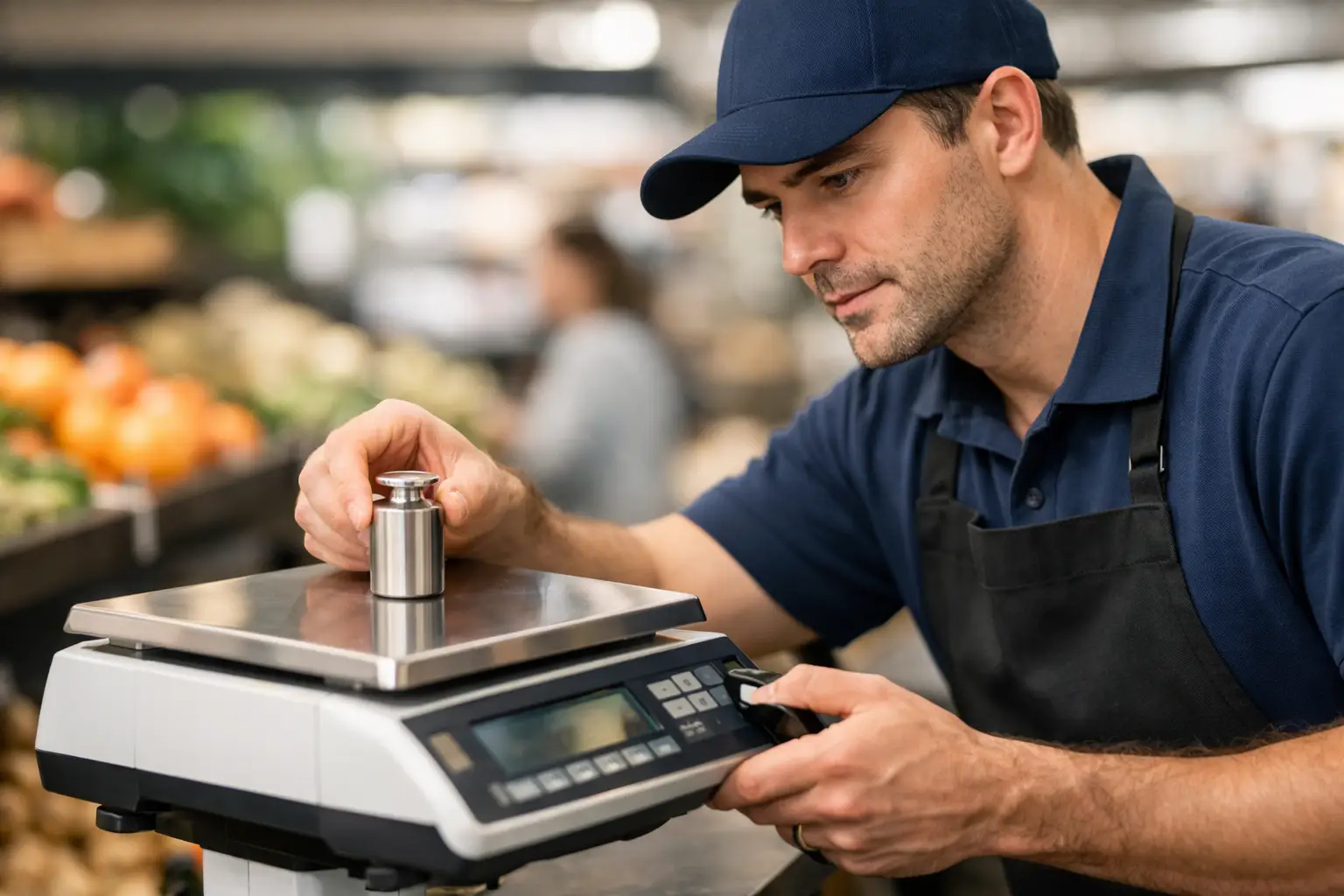
For trade-approved weighing equipment, arrange servicing, calibration and verification as required for your operation. Accuracy, compliance and integration with the POS are closely connected. A scale that is technically switched on but not fit for trade can still stop a sale.
Train staff to isolate simple faults quickly
Staff training is one of the most affordable ways to reduce delays at the counter. Team members do not need to become technicians, but they should know the safe first checks: confirm the device has power, look for a paper jam, check whether a cable has been knocked loose, restart only when appropriate and test whether the issue affects one terminal or every terminal.
Give staff a short, written escalation process that states who to call, what details to provide and when the issue began. Useful information includes error messages, affected equipment, whether payments are processing, whether the internet is working elsewhere and what has already been tried. This saves time when technical support is needed and avoids multiple people making conflicting changes.
Training should also cover the fallback process. Practise it before the busy period, not while customers are waiting. A calm, consistent response protects the customer experience even when a technical issue cannot be resolved immediately.
Use local technical support as part of your continuity plan
Businesses often wait until equipment fails before finding a repair provider. That can leave them searching for help with little information, limited access to parts and no clear understanding of their setup. A support arrangement is more effective when the technician already knows the hardware, configuration and operating priorities of the business.
Look for a provider that can assess the full environment: POS terminals, printers, payment integrations, scales, network equipment and on-site workflow. Remote support can resolve many configuration issues quickly, while on-site capability matters for physical repairs, cabling faults, installations and trade measurement work.
For Southeast Queensland businesses, EBE provides POS, weighing, network and repair support with hands-on installation and ongoing service. The aim is not simply to replace a faulty device, but to identify why the interruption occurred and reduce the chance of it returning.
Review every outage while the details are fresh
After a checkout interruption, take ten minutes to record what happened. Note the time, equipment affected, likely cause, customer impact, temporary workaround and repair completed. Over time, these notes show patterns: one printer may be repeatedly failing, a Wi-Fi dead spot may affect a particular counter, or a staff process may be causing avoidable errors.
Use that information to decide whether a repair, replacement, configuration change or extra training is the best response. Replacing equipment too early wastes money, but repeatedly patching unreliable hardware can cost more in lost trade and staff time.
A checkout should not depend on luck during your busiest hour. With suitable equipment, simple fallbacks and support that understands your operation, a small fault is far more likely to remain a small fault.











Leave A Comment
You must be logged in to post a comment.